 TutorialKart.com
Dart Hello World Program
A Dart Hello World program is a small example that shows the basic structure of a Dart application. In this tutorial, you will create a Dart file, run it from the command line, and understand how the main() and print() functions work.
Write the Dart Hello World Code
Open a text editor or an integrated development environment, create a new file, and paste the following code.
void main(){
	print('Hello World');
}
Save the file as hello.dart or some_file_name_you_like.dart. Let us continue with hello.dart.
The .dart extension identifies the file as Dart source code.
Run hello.dart from the Command Line
Before running the program, make sure the Dart SDK is installed and the dart</code command is available in your terminal. Open Command Prompt, Terminal, or another command-line shell and go to the folder in which the <code>hello.dart file is saved.
Execute the following command to run hello.dart from the current working directory.
dart run hello.dartFor a simple standalone file, dart hello.dart may also be used with current Dart SDK versions.
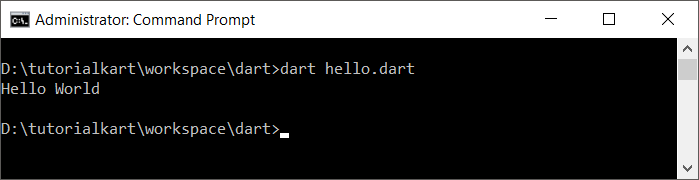
When the program runs successfully, it prints the following text to the console.
Hello WorldHow the Dart Hello World Program Works
Now, let us examine each part of the Dart program.
Following is our dart program.
void main(){
	print('Hello World');
}
main() Is the Dart Program Entry Point
Every executable Dart application starts from a top-level main() function. When you run hello.dart, Dart begins executing the statements inside this function.
void Indicates No Return Value
void indicates that the main() function does not return a value.
Empty Parentheses Mean No Command-Line Arguments
The empty parentheses in main() mean that this version of the function does not receive command-line arguments. A Dart program can also declare main(List<String> arguments) when it needs to read values supplied from the command line.
Curly Braces Contain the Function Body
The body of the main() function is enclosed in curly braces { }. Statements placed between these braces are executed in order.
print() Writes Text to Standard Output
The print() function writes an object as text followed by a line break. In this example, the string literal 'Hello World' is sent to the console.
The semicolon after print('Hello World') marks the end of the Dart statement.
Run the Dart Hello World Program with Arguments
The basic program does not require arguments, but the following variation shows the alternate main() signature commonly used by command-line applications.
void main(List<String> arguments) {
  print('Hello World');
  print('Arguments: $arguments');
}
Run it with values after the file name:
dart run hello.dart one twoThe arguments list contains the supplied values as strings.
Common Dart Hello World Errors
dartcommand not found: Install the Dart SDK and ensure itsbindirectory is included in the system path.- File not found: Change to the directory containing
hello.dart, or provide the correct file path in the command. - Missing semicolon: End the
print()statement with a semicolon. - Incorrect quotation marks: Use matching single or double quotes around
Hello World. - No
main()function: An executable Dart file must define a top-levelmain()entry point.
Dart Hello World Questions
What command runs a Dart file?
Use dart run hello.dart from the directory containing the file. For a simple script, dart hello.dart may also run the file.
Does every Dart program need main()?
Every executable Dart application needs a top-level main() function because it is the program’s entry point. A library file that is imported by another file does not need its own main().
Can Dart strings use double quotes?
Yes. Dart supports both single-quoted and double-quoted strings, so print("Hello World"); is also valid.
Why does the Dart file use the .dart extension?
The .dart extension identifies a Dart source file and allows Dart tools and editors to process it correctly.
Dart Hello World Tutorial Summary
In this Dart Tutorial, we created a Dart Hello World program, saved it as hello.dart, ran it with the dart command, and examined the roles of void, main(), curly braces, print(), strings, and semicolons.