 TutorialKart.com
Email messages in Salesforce cover three related needs: sending outbound emails, processing inbound emails, and storing email activity as EmailMessage records. In this Salesforce tutorial, we will learn about inbound email messaging, outbound email messaging, Messaging.SingleEmailMessage, Messaging.MassEmailMessage, email attachments, and the difference between outbound email and workflow outbound messages.
- Types of Email Services in Salesforce.
- EmailMessage object in Salesforce.
- Outbound Email Messaging.
- Inbound Email Messaging.
- Outbound message versus outbound email.
- Salesforce email messages FAQ.
Email Messages in Salesforce: inbound email and outbound email
Email Messages in Salesforce are powerful, robust and provide secure functionality to send an Email from Salesforce. It is very important to send and receive an Email from Salesforce to the external system then we use Email services. In Salesforce, we have two types of Email Services they are
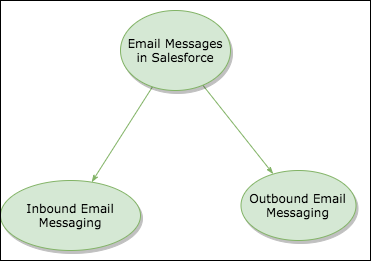
- Inbound Email Messaging
- Outbound Email Messaging.
In Salesforce development, email messaging usually means one of the following: an email sent from Salesforce by Apex or automation, an email received and processed by an Apex email service, or an email stored in Salesforce as an EmailMessage record.
EmailMessage object in Salesforce
The Salesforce EmailMessage object represents an email stored in Salesforce. It is commonly used with Enhanced Email and Email-to-Case. For object fields and platform behavior, refer to the official Salesforce EmailMessage object reference.
The EmailMessage object is not the same as the Apex class used to send an email. Use EmailMessage when you need to query, report on, or relate stored email records. Use the Messaging namespace when Apex must send an email.
Outbound Email Messaging in Salesforce Apex
Outbound Email Messaging is used to send an Email to external system using Apex Code. They are 2 types of outbound Emails.
- Single Email Message.
- Mass Email Message.
Use SingleEmailMessage for one email operation where the message may be personalized. Use MassEmailMessage for template-based email sent to multiple Salesforce target records such as contacts, leads, person accounts, or users. Both are subject to Salesforce email limits, deliverability settings, compliance settings, and user permissions.
Single Email Message in Salesforce Apex
Single Email Message instantiates an email object used for sending a single email message.
The original syntax block is retained below. The correct Apex namespace spelling is Messaging, as shown in the corrected example that follows.
Messaing.SingleEmailMessage email = new Messaging.SingleEmailMessage();Messaging.SingleEmailMessage email = new Messaging.SingleEmailMessage();As shown in above class, Messaging name space provides classes and methods for Salesforce outbound and Inbound email services. The methods in the above class sends single email message to external system. To send single email message, first we have to create an object for SingleEmailmessage.
SingleEmailMessage Methods for outbound Salesforce emails
Single Email message consists of nearly 19 methods that can be used in Email messages in Salesforce.
Common methods include setToAddresses, setCcAddresses, setBccAddresses, setSubject, setPlainTextBody, setHtmlBody, setTargetObjectId, setTemplateId, setWhatId, setFileAttachments, setOrgWideEmailAddressId, and setSaveAsActivity. The recipient address methods use plural Addresses in Apex.
SetBccAddresses(bccAddresses)
This method will set Bcc Address to the whom the email should be sent. We can set up to 25 email addresses.
String[] toBccAddresses = new String[] {'tutorialkart@gmail.com', example@gmail.com};
mail.setBccAddress(tobccaddress);
Correct Apex usage:
String[] bccAddresses = new String[] { 'tutorialkart@gmail.com', 'example@gmail.com' };
mail.setBccAddresses(bccAddresses);
setCcAddresses(ccAddresses)
This method will set CcAddress to whom the mail should be sent. We can set utp 25 email address.
String[] toCcAddresses = new String[] {'tutorialkart@gmail.com', example@gmail.com};
mail.setCcAddress(toccaddress);
Correct Apex usage:
String[] ccAddresses = new String[] { 'tutorialkart@gmail.com', 'example@gmail.com' };
mail.setCcAddresses(ccAddresses);
setToAddresses(toAddresses)
This method will set the address, we can set up to 100 addresses.
String[] toAddress = new String[] {'tutorialkart@gmail.com', example@gmail.com};
mail.setToAddress(toaddress);
Correct Apex usage:
String[] toAddresses = new String[] { 'tutorialkart@gmail.com', 'example@gmail.com' };
mail.setToAddresses(toAddresses);
setSubject(string)
setSubject( ) method will set the subject of mail.
myemail.setSubject('tutorialkart');setPlainTextBody()
setPlainTextBody() will set the main body of the mail.
myemail.setPlainTextBody('Welcome to tutorialkart');
setHtmlBody(htmlBody)
setHtmlBody( ) will set the main body of the mail.
myemail.setHtmlBody('<h1> Subscribe to tutoralkart.com'</h1>);Correct Apex usage for a simple HTML body:
myemail.setHtmlBody('<h1>Subscribe to tutorialkart.com</h1>');Working Apex example for SingleEmailMessage in Salesforce
Messaging.SingleEmailMessage mail = new Messaging.SingleEmailMessage();
mail.setToAddresses(new String[] { 'student@example.com' });
mail.setSubject('Salesforce email example');
mail.setPlainTextBody('This email was sent from Apex.');

Messaging.SendEmailResult[] results = Messaging.sendEmail(
    new Messaging.Email[] { mail },
    false
);

if (!results[0].isSuccess()) {
    System.debug(results[0].getErrors()[0].getMessage());
}
For production code, do not ignore Messaging.SendEmailResult. Log or handle errors so that failed email delivery attempts can be investigated.
Attaching files to outbound emails in Salesforce Apex
Use Messaging.EmailFileAttachment when Apex has the attachment body as a Blob. Set a file name, body, and content type before adding it to the email.
Messaging.EmailFileAttachment attachment = new Messaging.EmailFileAttachment();
attachment.setFileName('salesforce-email-notes.txt');
attachment.setBody(Blob.valueOf('Notes about Email Messages in Salesforce.'));
attachment.setContentType('text/plain');

mail.setFileAttachments(new Messaging.EmailFileAttachment[] { attachment });
Before sending attachments, check file size, file type, recipient access, and whether the attachment contains sensitive data that should not leave Salesforce by email.
MassEmailMessage in Salesforce Apex
Through MassEmailMessage we can send a mass email messages to a recipient list that consists of contacts, Leads, Person accounts or users you can view in Salesforce.
Messaging.MassEmailMessage class for Salesforce email templates
Messaging.MassEmailMessage class all the methods defined in the Email class and also Email base class methods.
Signature : public MassEmailMessage()
- setDescription(description) : This will give the description about the mail.
- setTargetObjectIds(targetObjectIds) : We can add upto 250 IDs per email. If you specify a value for the target Object Id’s field optionally specify a WhatID’s as well.
- setWhatIds(whatIds) : This values can be . any one of the following contact, case, opportunity and product.
Mass email should be used with an email template and a carefully selected list of target records. Confirm recipient consent, org policy, and Salesforce limits before sending.
Apex syntax for Messaging.MassEmailMessage
Messaging.MassEmailMessage mail = new Messaging.MassEmailMessage();Messaging.MassEmailMessage mail = new Messaging.MassEmailMessage();
mail.setTargetObjectIds(new Id[] { '003000000000001AAA', '003000000000002AAA' });
mail.setTemplateId('00X000000000001AAA');
mail.setDescription('Template-based Salesforce mass email');
Messaging.sendEmail(new Messaging.Email[] { mail });Inbound Email Messaging in Salesforce with Apex Email Services
Inbound Email Messaging is used when Salesforce must receive an email and perform an action. An Apex email service can inspect the sender, subject, body, and attachments, then create or update Salesforce records. Common uses include case creation, support mailboxes, approval replies, and simple integrations where the sender can only deliver email.
Validate sender addresses, restrict what the service accepts, handle attachments safely, and log failures. Inbound email services should not trust every message just because it arrived at a Salesforce-generated email service address.
Workflow outbound messages versus outbound email messages in Salesforce
A Salesforce outbound message is different from an outbound email. An outbound message sends a SOAP notification to a designated endpoint for integration. An outbound email sends email content to recipients. Salesforce explains workflow and Flow outbound messages in the official Outbound Message Actions help page and the SOAP API outbound messaging guide.
| Salesforce feature | What it does |
|---|---|
| Outbound email message | Sends email to recipients from Apex or automation. |
| Workflow or Flow outbound message | Sends a SOAP notification to an external endpoint. |
| EmailMessage record | Stores an email as Salesforce data. |
Salesforce email message testing and editorial QA checklist
- Confirm the tutorial separates
EmailMessagerecords from ApexMessagingclasses. - Use
setToAddresses,setCcAddresses, andsetBccAddresseswith the correct plural method names. - Check
Messaging.SendEmailResultinstead of assuming every email was sent. - Avoid calling
Messaging.sendEmail()inside unnecessary loops. - Do not describe workflow outbound messages as email messages.
Salesforce email messages FAQ
What is an EmailMessage in Salesforce?
An EmailMessage is a Salesforce record that represents a stored email. It is commonly used with Enhanced Email and Email-to-Case.
What is the difference between SingleEmailMessage and MassEmailMessage?
SingleEmailMessage sends one email operation that can be personalized. MassEmailMessage is used for template-based messages to multiple Salesforce target records.
Can Apex send email to a plain email address?
Yes. Use setToAddresses with email address strings. Use setTargetObjectId when you need a Salesforce recipient record for templates or activity behavior.
Is a Salesforce outbound message an email?
No. A Salesforce outbound message is a SOAP-based integration notification sent to an endpoint. It is not an email sent to a recipient inbox.
How do you attach a file to a Salesforce outbound email?
Create a Messaging.EmailFileAttachment, set the file name and body, and pass it to setFileAttachments on a SingleEmailMessage.
Summary of Email Messages in Salesforce
Use the EmailMessage object to work with stored email records. Use Messaging.SingleEmailMessage or Messaging.MassEmailMessage to send emails from Apex. Use inbound email services to process emails received by Salesforce. Treat workflow outbound messages as a separate integration feature, not as outbound email.