 TutorialKart.com
Spark Shell is an interactive shell through which we can access Spark’s API. Spark provides the shell in two programming languages : Scala and Python. In this tutorial, we shall learn the usage of Python Spark Shell with a basic word count example.
Python Spark Shell is started with the pyspark command. It opens a Python REPL with Apache Spark already initialized, so you can run PySpark statements, work with RDDs and DataFrames, inspect results, and use the Spark Web UI while learning or testing small examples.
- What Python Spark Shell is used for
- Prerequisites for running PySpark Shell
- Starting Spark Interactive Python Shell
- Understanding
scandsparkin PySpark Shell - Word count example with PySpark Shell
- Why PySpark writes part files
- Exit or stop Python Spark Shell
- PySpark Shell FAQ
Python Spark Shell
PySpark Shell is useful when you want to try Spark transformations and actions without creating a complete Python application first. You can read a small file, apply transformations such as flatMap() and map(), run actions such as collect() or saveAsTextFile(), and then check the Spark job in the browser.
The examples in this tutorial use the RDD API because a word count program is a simple way to understand distributed transformations. In modern PySpark projects, you will also use the DataFrame API through the spark session. The official Apache Spark references are useful for comparing both styles: Apache Spark Quick Start and PySpark API documentation.
Prerequisites for running PySpark Shell locally
Prerequisite is that Apache Spark is already installed on your local machine. If not, please refer Install Spark on Ubuntu or Install Spark on MacOS based on your Operating System.
Before starting the shell, check that Java and PySpark are available from your terminal. Spark runs on the JVM, and PySpark uses Python to communicate with Spark.
java -version
pyspark --version
If the terminal cannot find pyspark, check the Spark installation path and confirm that the Spark bin directory is available in your PATH. If you installed PySpark from Python packages, confirm that the Python environment used by the terminal is the same environment where PySpark is installed.
Start Spark Interactive Python Shell
Python Spark Shell can be started through command line. To start pyspark, open a terminal window and run the following command:
~$ pysparkFor the word-count example, we shall start with option –master local[4] meaning the spark context of this spark shell acts as a master on local node with 4 threads.
~$ pyspark --master local[4]In local mode, Spark runs on your own machine. The number inside square brackets tells Spark how many local worker threads to use. For example, local[4] uses four local threads, while local[*] uses all available local cores.
| PySpark master option | Meaning | Typical use |
|---|---|---|
local | Runs with one local worker thread. | Very small examples. |
local[2] | Runs with two local worker threads. | Simple tests on a laptop. |
local[4] | Runs with four local worker threads. | The word count example in this tutorial. |
local[*] | Runs with as many worker threads as available local cores. | General local development. |
If you accidentally started spark shell without options, you may kill the shell instance.
~$ pyspark --master local[4]
Python 2.7.12 (default, Nov 19 2016, 06:48:10)
[GCC 5.4.0 20160609] on linux2
Type "help", "copyright", "credits" or "license" for more information.
Using Spark's default log4j profile: org/apache/spark/log4j-defaults.properties
Setting default log level to "WARN".
To adjust logging level use sc.setLogLevel(newLevel). For SparkR, use setLogLevel(newLevel).
17/11/13 12:10:21 WARN NativeCodeLoader: Unable to load native-hadoop library for your platform... using builtin-java classes where applicable
17/11/13 12:10:22 WARN Utils: Your hostname, tutorialkart resolves to a loopback address: 127.0.0.1; using 192.168.0.104 instead (on interface wlp7s0)
17/11/13 12:10:22 WARN Utils: Set SPARK_LOCAL_IP if you need to bind to another address
17/11/13 12:10:40 WARN ObjectStore: Failed to get database global_temp, returning NoSuchObjectException
Welcome to
      ____              __
     / __/__  ___ _____/ /__
    _\ \/ _ \/ _ `/ __/  '_/
   /__ / .__/\_,_/_/ /_/\_\   version 2.2.0
      /_/

Using Python version 2.7.12 (default, Nov 19 2016 06:48:10)
SparkSession available as 'spark'.
>>>
The startup output above is from an older Spark and Python environment, so the exact Spark version, Python version, and log messages may be different on your system. The important point is that the shell opens and shows the Python prompt >>>.
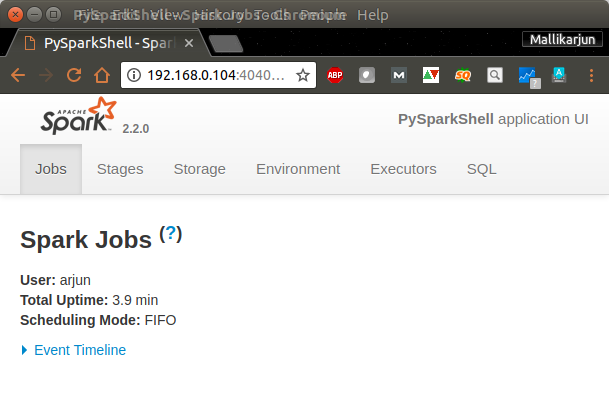
Spark context Web UI would be available at http://192.168.0.104:4040 [The default port is 4040]. Open a browser and hit the url http://192.168.0.104:4040.
If another Spark application is already using port 4040, Spark may open the Web UI on another port such as 4041. Always check the startup message printed by PySpark for the exact Web UI address.
Understanding sc and spark in PySpark Shell
Spark context : You can access the spark context in the shell as variable named sc.
Spark session : You can access the spark session in the shell as variable named spark.
Use sc when you are working with RDDs, as in the word count example below. Use spark when you are working with DataFrames, Spark SQL, tables, or structured data sources.
sc.master
sc.appName
spark.version
spark.sql("select current_date()").show()
During learning, you may reduce log noise by setting the Spark log level from the PySpark prompt.
sc.setLogLevel("ERROR")Prepare a sample text file for PySpark word count
The original commands below use placeholder paths such as /path/to/text/file. To run the example quickly on a local machine, create a small input file first.
mkdir -p /tmp/pyspark-wordcount
cat > /tmp/pyspark-wordcount/input.txt <<'EOF'
pyspark shell runs python code
pyspark shell runs spark jobs
python code counts words
EOF
Also remove the old output directory before running saveAsTextFile(). Spark creates the output directory and does not overwrite an existing one.
rm -rf /tmp/pyspark-wordcount/outputWord-Count Example with PySpark
We shall use the following Python statements in PySpark Shell in the respective order.
input_file = sc.textFile("/path/to/text/file")
map = input_file.flatMap(lambda line: line.split(" ")).map(lambda word: (word, 1))
counts = map.reduceByKey(lambda a, b: a + b)
counts.saveAsTextFile("/path/to/output/")
The variable name map is used in the original example above. In new Python code, a name such as word_pairs is clearer because map is also a built-in Python function.
Input file loading with sc.textFile() in PySpark Shell
In this step, using Spark context variable, sc, we read a text file.
input_file = sc.textFile("/path/to/text/file")sc.textFile() returns an RDD where each record represents a line from the input file. The file path can be a local path for local mode, or a distributed storage path when Spark is connected to a cluster.
Map words to key-value pairs in PySpark Shell
We can split each line of input using space ” ” as separator.
flatMap(lambda line: line.split(" "))and we map each word to a tuple (word, 1), 1 being the number of occurrences of word.
map(lambda word: (word, 1))We use the tuple (word,1) as (key, value) in reduce stage.
Reduce word counts by key in PySpark Shell
Reduce all the words based on Key. Here a, b are values and for the same key, values are reduced to a+b.
counts = map.reduceByKey(lambda a, b: a + b)For example, if the word pyspark appears twice, Spark creates two records like ('pyspark', 1) and combines them into ('pyspark', 2).
Save PySpark word count output to a directory
At the end, counts could be saved to a local file.
counts.saveAsTextFile("/path/to/output/")More precisely, saveAsTextFile() writes to an output directory. Spark may create multiple part- files because the data is processed in partitions.
When all the commands are run in Terminal, following would be the output :
>>> input_file = sc.textFile("/home/arjun/data.txt")
>>> map = input_file.flatMap(lambda line: line.split(" ")).map(lambda word: (word, 1))
>>> counts = map.reduceByKey(lambda a, b: a + b)
>>> counts.saveAsTextFile("/home/arjun/output/")
>>>
Output can be verified by checking the save location.
/home/arjun/output$ls
part-00000  part-00001  _SUCCESS
Sample of the contents of output file, part-00000, is shown below :
/home/arjun/output$cat part-00000
(branches,1)
(sent,1)
(mining,1)
(tasks,4)
We have successfully counted unique words in a file with the help of Python Spark Shell – PySpark.
You can use Spark Context Web UI to check the details of the Job (Word Count) we have just run.
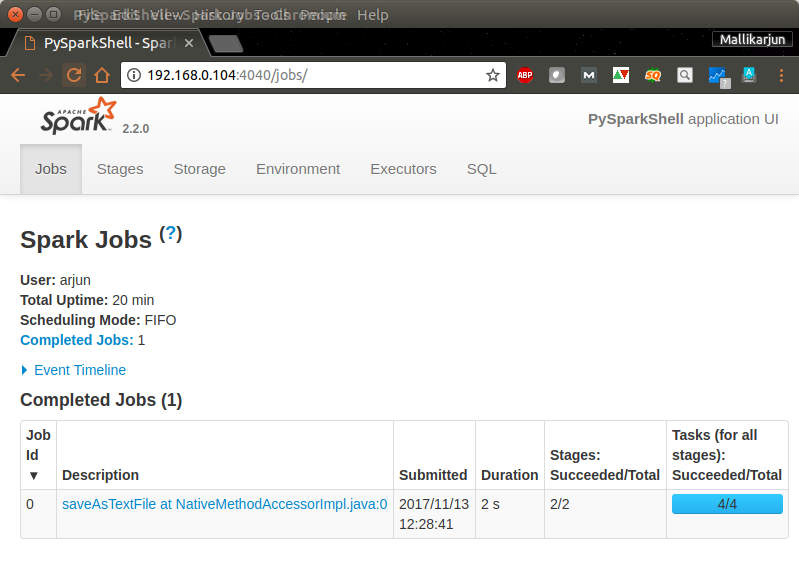
Navigate through other tabs to get an idea of Spark Web UI and the details about the Word Count Job.
Run the PySpark word count example with the sample file
Using the sample input file created earlier, you can run the word count with concrete paths. Type the following statements at the PySpark prompt.
input_file = sc.textFile("/tmp/pyspark-wordcount/input.txt")
word_pairs = input_file.flatMap(lambda line: line.split()) \
    .map(lambda word: (word.lower(), 1))
counts = word_pairs.reduceByKey(lambda a, b: a + b)
counts.collect()
[('code', 2), ('counts', 1), ('jobs', 1), ('pyspark', 2), ('python', 2), ('runs', 2), ('shell', 2), ('spark', 1), ('words', 1)]The order of records may differ because Spark processes data across partitions. If you want sorted output for display, sort the RDD before collecting it.
counts.sortByKey().collect()Use collect() only for small learning examples because it brings the result back to the driver. For larger data, write output to storage or use limited actions such as take().
Save and inspect the PySpark word count output directory
To save the sample result to a local directory, remove any old output directory and then call saveAsTextFile().
counts.saveAsTextFile("/tmp/pyspark-wordcount/output")ls /tmp/pyspark-wordcount/output
cat /tmp/pyspark-wordcount/output/part-*You should see one or more part- files and, in many environments, a _SUCCESS marker. Multiple part files are normal Spark output behavior.
Use PySpark Shell for a quick DataFrame check
The word count example uses RDDs, but PySpark Shell is also commonly used with DataFrames. The spark variable gives access to the DataFrame API and Spark SQL.
data = [("Alice", 85), ("Ravi", 91), ("Meera", 78)]
df = spark.createDataFrame(data, ["name", "score"])
df.filter(df.score >= 80).show()
+-----+-----+
| name|score|
+-----+-----+
|Alice| 85|
| Ravi| 91|
+-----+-----+This is a useful quick check when you want to confirm that the shell, SparkSession, and DataFrame operations are working correctly.
Using PySpark from a normal Python shell or script
The pyspark command starts an interactive shell with Spark configured for you. In a normal Python shell or script, you usually create a SparkSession explicitly.
from pyspark.sql import SparkSession

spark = SparkSession.builder \
    .appName("PythonSparkShellExample") \
    .master("local[4]") \
    .getOrCreate()

print(spark.version)
spark.stop()
This pattern is useful when you move from interactive testing to a Python file. For production jobs, submit the script with spark-submit instead of relying on an open shell session.
Exit or stop Python Spark Shell safely
The normal way to close PySpark Shell is to exit the Python prompt. You can use exit(), quit(), or press Control+D in many terminals.
exit()If the shell is stuck and does not close normally, find the Spark or PySpark process from another terminal and stop it. Use a forced kill only when a normal exit is not working.
ps -aef | grep pyspark
kill <process-id>
If the process still does not stop, use kill -9 <process-id> as a last option.
Common PySpark Shell errors in the word count example
| Issue in PySpark Shell | Likely reason | How to fix it |
|---|---|---|
pyspark: command not found | Spark is not installed correctly or Spark bin is not in PATH. | Check your Spark installation and update the terminal PATH. |
| Output directory already exists | saveAsTextFile() will not overwrite an existing directory. | Delete the old output directory or use a new path. |
| Web UI is not available on port 4040 | Another Spark application may already be using that port. | Read the PySpark startup message and open the actual Web UI URL. |
| Word count output order changes | RDD partitions do not guarantee display order. | Use sortByKey() when sorted display output is required. |
| Too many WARN messages appear | Spark prints environment and logging messages during startup. | Use sc.setLogLevel("ERROR") during local learning examples. |
PySpark Shell FAQ
What is PySpark Shell used for?
PySpark Shell is used to run Apache Spark commands interactively in Python. It is useful for learning Spark APIs, testing RDD or DataFrame logic, checking small examples, and debugging before writing a full Spark application.
What is the command to start Python Spark Shell?
Use the pyspark command from a terminal. For local testing with four worker threads, use pyspark --master local[4].
What are sc and spark in PySpark Shell?
sc is the SparkContext used for RDD operations. spark is the SparkSession used for DataFrames, Spark SQL, and structured data operations.
Why does PySpark word count create part files?
Spark writes distributed output by partition. Therefore saveAsTextFile() creates an output directory with one or more part- files instead of a single text file.
Should I use PySpark Shell or spark-submit?
Use PySpark Shell for interactive learning and quick tests. Use spark-submit when you want to run a saved Python Spark application as a job.
Editorial QA checklist for this PySpark Shell tutorial
- Confirm that existing screenshots and image URLs remain unchanged.
- Check that new command-line examples use
language-bashand output-only examples useoutput. - Verify that the tutorial clearly explains
pyspark,--master local[4],sc,spark, Spark Web UI, andsaveAsTextFile(). - Make sure the word count output is described as a directory containing part files, not as a single local file.
- Keep FAQ questions specific to PySpark Shell and the Python Spark Shell word count workflow.
What you learned in this PySpark Shell word count tutorial
In this Apache Spark Tutorial, we have learnt the usage of Spark Shell using Python programming language with the help of Word Count Example. We started PySpark Shell in local mode, used the default sc and spark variables, ran RDD transformations, saved word count output, checked the Spark Web UI, tried a small DataFrame example, and reviewed how to close the shell safely.