 TutorialKart.com
Assign Company Code to Fiscal Year Variant in SAP FICO Using OB37
In this SAP tutorial, you will learn how to assign company code to fiscal year variant in SAP Financial Accounting (SAP FICO) step by step. In our previous tutorial, we learned what a fiscal year variant is and how to create fiscal year variant in SAP.
The link between company code and fiscal year variant is established through the OB37 assignment. This setting tells SAP which fiscal calendar, posting periods, and special periods must be used for a specific company code.
In SAP FICO, one fiscal year variant can be assigned to multiple company codes when those company codes follow the same financial year structure. However, each company code should have the fiscal year variant that matches its legal and reporting calendar. For example, a company code that follows April to March should not be assigned a January to December fiscal year variant.
OB37 Fiscal Year Variant Assignment Example for Company Code TK01
| CoCd | Company Name | Fiscal Year Variant | Description |
| TK01 | Tk Software Limited | T3 | April – March, 4 Spl periods |
In the above example, company code TK01 is assigned to fiscal year variant T3. The variant represents an April to March fiscal year and includes four special periods for year-end adjustment postings.
Before Assigning Fiscal Year Variant to Company Code in SAP
Check the following points before you maintain the assignment in transaction code OB37:
- The company code is already defined in SAP FI.
- The fiscal year variant is already created and contains the correct posting periods.
- The fiscal year variant matches the legal reporting year of the company code.
- The number of special periods is correct for year-end adjustment postings.
- You have a valid customizing request to save and transport the configuration.
Transaction Code and IMG Path to Assign Company Code to Fiscal Year Variant
You can assign company code to fiscal year variant by using one of the following methods.
Path: – SPRO — IMG — Financial Accounting — Financial accounting global settings — Fiscal year — Assign company code to fiscal year variant.
OB37 is the transaction code used to assign a fiscal year variant to a company code. To create or maintain the fiscal year variant itself, use the fiscal year variant configuration before completing this assignment.
Step 1: Open OB37 to Maintain Company Code Fiscal Year Variant
Enter transaction code OB37 in the SAP command field and press Enter to continue.

Step 2: Position the Required Company Code in OB37
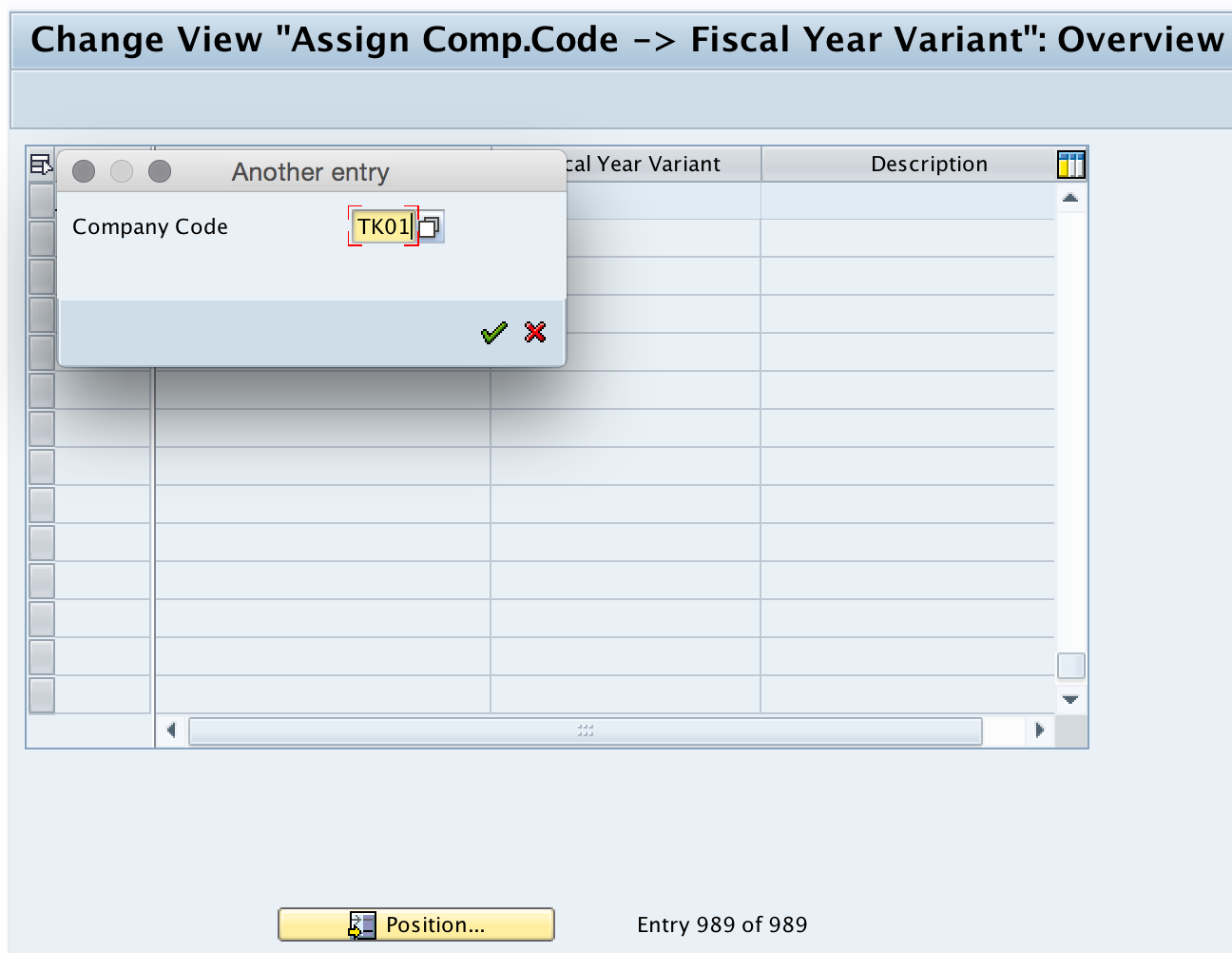
On the change view Assign Comp.Code –> Fiscal year variant: Overview screen, choose Position and enter your company code in the given field. This helps you quickly find the correct company code when many company codes are available in the client.
Step 3: Enter the Fiscal Year Variant Key for the Company Code
Assign company code to fiscal year variant by entering the required fiscal year variant key in the Fiscal Year Variant field. In this example, company code TK01 is assigned to fiscal year variant T3.

Step 4: Save the Fiscal Year Variant Assignment in a Customizing Request
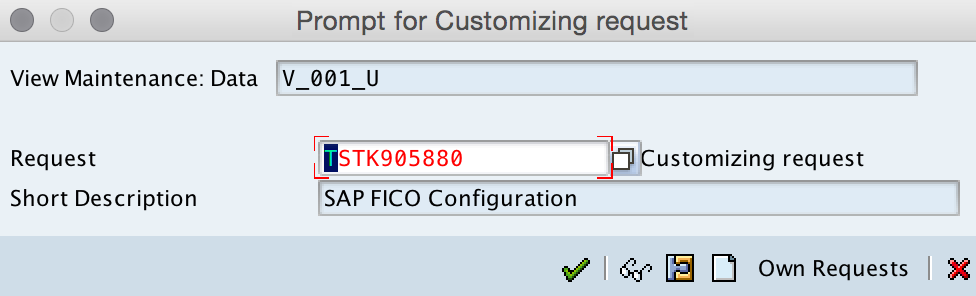
Click the Save button, then select your customizing request number and save the configured data. The request can be transported to the required system landscape according to your SAP change management process.
After saving, the company code is assigned to the selected fiscal year variant in SAP.
What the Fiscal Year Variant Assignment Controls in SAP FI
The OB37 assignment is not only a label on the company code. It decides how SAP interprets the accounting year for that company code. The assignment affects period-based posting, period determination, financial reporting, and year-end activities.
| Configuration area | Effect of fiscal year variant assignment |
| Posting periods | Determines the fiscal period into which a posting date falls. |
| Special periods | Allows year-end adjustment postings when special periods are defined in the fiscal year variant. |
| Financial reporting | Aligns company code reports with the correct fiscal year and period structure. |
| Integration | Helps related SAP modules use the same company code fiscal calendar for accounting-relevant postings. |
Difference Between OB37 and Fiscal Year Variant Maintenance
OB37 is used for assigning an existing fiscal year variant to a company code. It does not define the period structure of the fiscal year variant. The fiscal year variant must already contain the correct calendar months, fiscal periods, and special periods before it is assigned to the company code.
| Task | Purpose |
| Create or maintain fiscal year variant | Define period structure, year shift, and special periods. |
| Assign company code to fiscal year variant in OB37 | Link an existing fiscal year variant to a specific company code. |
For official reference on fiscal year variant behavior in SAP S/4HANA, you can refer to SAP Help Portal and the SAP Learning topic on managing fiscal year variants.
Common OB37 Assignment Mistakes in SAP FICO
- Using the wrong fiscal year variant: Confirm whether the company follows a calendar year or a non-calendar fiscal year such as April to March.
- Ignoring special periods: If the company needs year-end adjustment postings, ensure that the fiscal year variant contains the required special periods.
- Confusing OB37 with fiscal year variant creation: OB37 only assigns the variant to the company code. It does not create the variant.
- Changing assignment after postings: Be careful when changing the fiscal year variant of a company code that already has postings, as the period structure affects accounting data and reports.
- Saving without transport discipline: Always save the assignment in the correct customizing request so the change can be moved consistently across systems.
Editorial QA Checklist for Company Code Fiscal Year Variant Assignment
- Does the tutorial clearly state that OB37 assigns a fiscal year variant to a company code?
- Does the example show the company code, fiscal year variant key, and fiscal year description?
- Does the procedure include the SAP command field, Position button, Fiscal Year Variant field, and customizing request?
- Does the content explain that one fiscal year variant can be assigned to multiple company codes when the period structure is the same?
- Does the article distinguish OB37 assignment from fiscal year variant maintenance?
FAQs on Assigning Company Code to Fiscal Year Variant in SAP
What is OB37 in SAP?
OB37 is the SAP transaction code used to assign a fiscal year variant to a company code. It links the company code with the fiscal year structure used for accounting periods and special periods.
Which transaction code is used to assign fiscal year variant to company code?
The transaction code is OB37. You can also reach the same activity through SPRO and the Financial Accounting IMG path for assigning company code to fiscal year variant.
Can one fiscal year variant be assigned to multiple company codes?
Yes. One fiscal year variant can be assigned to multiple company codes when those company codes follow the same fiscal calendar, posting period structure, and special period requirement.
Can a company code have more than one fiscal year variant?
A company code is assigned to the fiscal year variant that represents its accounting year. If the fiscal calendar changes, the existing assignment must be reviewed and changed carefully because postings and reports depend on the fiscal period structure.
What is the transaction code for maintaining a fiscal year variant?
OB37 is for assignment to company code. Fiscal year variant maintenance is a separate configuration activity where the period structure, year shift, and special periods are defined before the variant is assigned.